
Vendor risk, also called third-party risk, is the exposure your business inherits from the suppliers, software, and contractors you give data or system access to. Their security becomes part of yours the moment you hand over a login, a file, or a customer list — which is why the work is not about trusting fewer vendors, but about knowing which ones can reach what.
You can lock down your own systems carefully and still be affected through a vendor. The software you use, the contractor with access to your files, the payment processor holding your customer data: each one is a path into your business. Some of the largest breaches on record began with a compromised supplier rather than the company that took the damage.
Why does another company's breach become your problem?
Because access travels with it. A vendor holding your customer records, connected to your file storage, or logging in to your systems is effectively part of your attack surface — but their security is not something you control. Their weakest habit quietly becomes part of your risk.
Attackers understand that arithmetic. Reaching one widely used supplier can open a path to many of that supplier's customers at once, which makes suppliers a more efficient target than any single small business. You are rarely singled out; you are simply downstream of someone who was.
The quieter issue is that access outlives its purpose. The integration set up for a project two years ago, the contractor account nobody closed, the app connected once and forgotten — each keeps every permission it was granted long after the reason disappeared. Nobody decides to leave those doors open. They are simply never revisited, because nothing prompts anyone to look.
Which vendors actually need a close look?
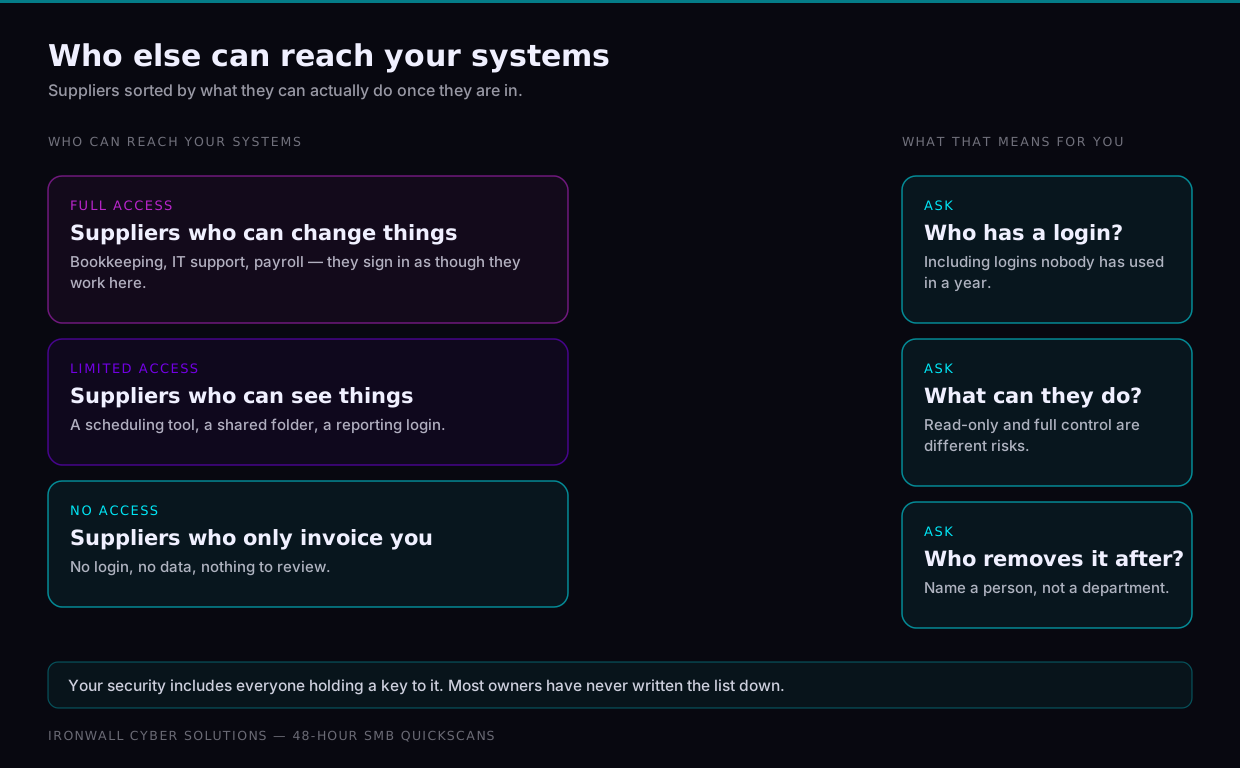
The ones that hold your data or can log in to your systems. The company that cleans the office is not a security question, and treating every supplier as one is how vendor reviews get abandoned. Match the depth of review to what the vendor can reach.
| Vendor type | What they can usually reach | How closely to review |
|---|---|---|
| Software holding customer data | Order history, contact records, anything customers gave you | Full review before signing; keep their answers on file |
| Payment and payroll providers | Money movement, bank details, employee records | Full review; read the breach-notification terms closely |
| IT, web and support contractors | Administrator logins, servers, your website and email settings | Full review, named individual accounts, access checked every quarter |
| Connected apps and integrations | Mailboxes, files and calendars, through permissions granted once | Light review; check what each connection asks permission to do |
| Suppliers with no digital access | Nothing in your systems, none of your data | Normal commercial checks; no security review needed |
What should you ask a vendor before you sign?
Ask plain questions, and notice how easily they are answered. You are not auditing anyone — you are finding out whether security is something this company already thinks about, before you hand over anything valuable.
Four questions cover most of it. Do they require multi-factor authentication for their own staff, and offer it to you? Is your data encrypted, and where is it stored? Can they share a recent independent security report, such as a SOC 2? And what happens contractually if they are breached — how quickly are you told, and what are they obliged to do?
A vendor who takes this seriously answers in a short paragraph. One who cannot answer at all has told you something useful, and you learned it before signing rather than afterwards. Where the answers are thin but the service is worth having, the sensible response is usually less access.
Your security posture includes everyone you have handed data or access to — whether you vetted them or not.
How much access should a vendor have day to day?
As little as the work actually requires, granted deliberately rather than by default. The instinct is to hand over administrator rights because it is faster than working out the specific permission someone needs, and that shortcut is what turns a small vendor problem into a large one.
Three habits carry most of the benefit. Give each vendor its own named account rather than a shared login, so you can see what was done and remove it later without disrupting anyone else. Grant the narrowest permission that lets the work happen, and widen it only when something genuinely fails. Then review the whole list once a quarter — a recurring calendar reminder is enough — and remove anything nobody present can justify.
Keep a simple inventory alongside it: who has access, to what, and why. A spreadsheet is perfectly adequate. Its value is that you can answer those three questions on the day you need the answer quickly.
What has to happen when the relationship ends?
Treat the final day as a security task rather than an administrative one. Revoke every login, key, and integration the day the work ends, instead of waiting for a last invoice to clear or a final file to arrive.
Then settle the data question in writing: confirm that your files have been returned or deleted, as your agreement requires. Most vendors will do this willingly when asked, and quietly retain everything when nobody asks.
Offboarding is where the widest gaps open, because nothing forces the conversation. The project finishes, everyone moves on, and the access simply stays in place.
The bottom line
Every vendor you trust with data or access holds a piece of your risk. Ask before you sign, grant the least access that works, keep an inventory of who can reach what, and cut access off the day it is no longer needed.